Audiences are customer groups created through the Audiences API and made available for customer targeting and other functionality across Antavo.
Audiences are static, meaning that membership is explicitly managed through the Audiences API or audience-related workflow actions rather than automatically recalculated based on customer data or behavior.
To learn how audiences differ from segments and customer lists, see Customer groups.
The Audiences module must be enabled to access audience functionality in the Management UI and use audiences in supported Antavo features.
Audiences in the Management UI
Navigate to the Audiences page by clicking the Audiences icon in the sidebar.
The page lists the audiences created through the Audiences API.
The following information is displayed for each audience:
Name: The name and description of the audience.
Type: The type of the audience. Currently, only static audiences are supported.
Source: The source associated with the audience, if provided.
Members: The number of customers currently included in the audience.
Created At: The date and time when the audience was created.
Last Updated: The date and time when the audience was last updated.
Use the search field to find an audience by name.
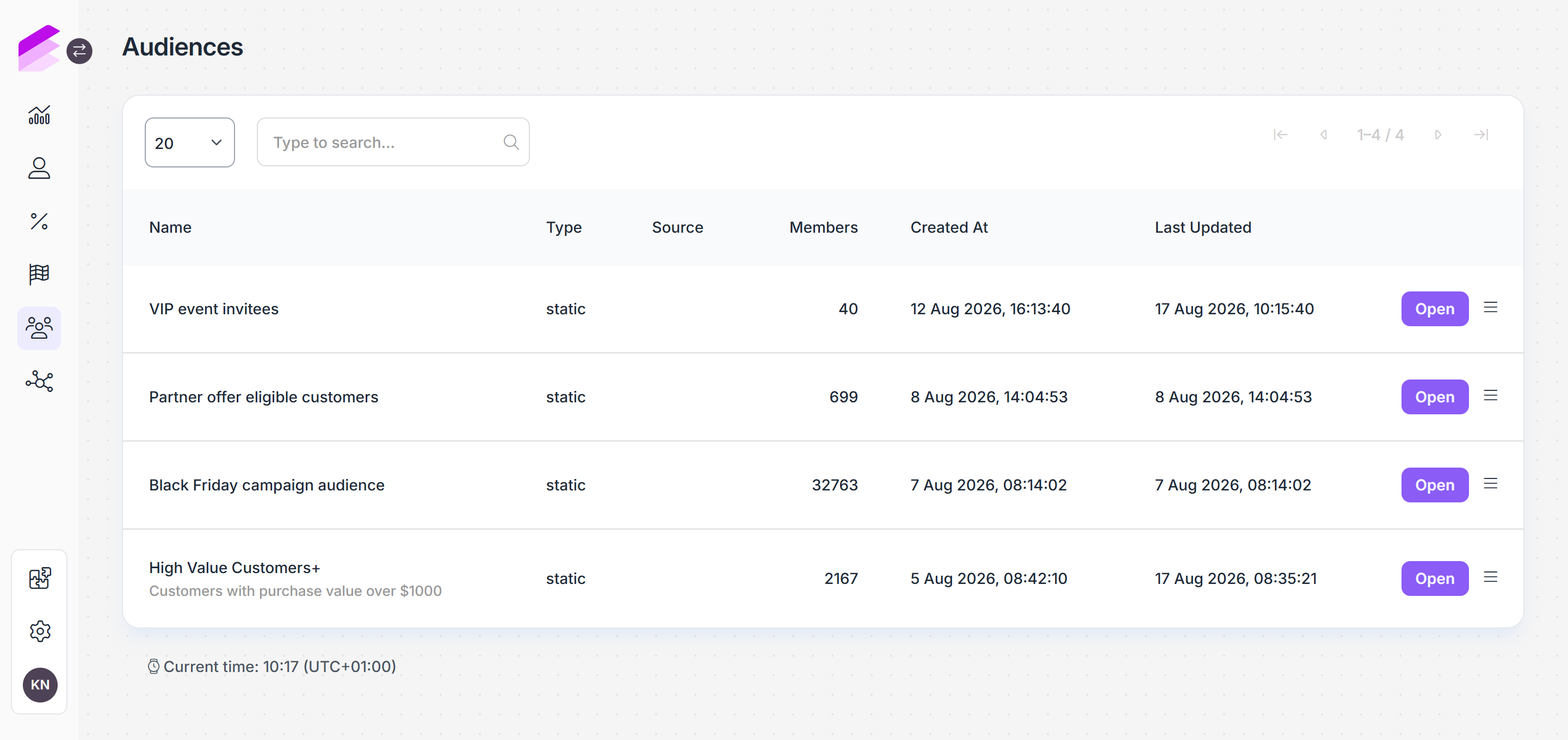
Audiences are now created and managed through the Audiences API. Currently, the Audiences page in the Management UI provides only an overview of the audiences available in the workspace.
Audience membership in Customer Insights
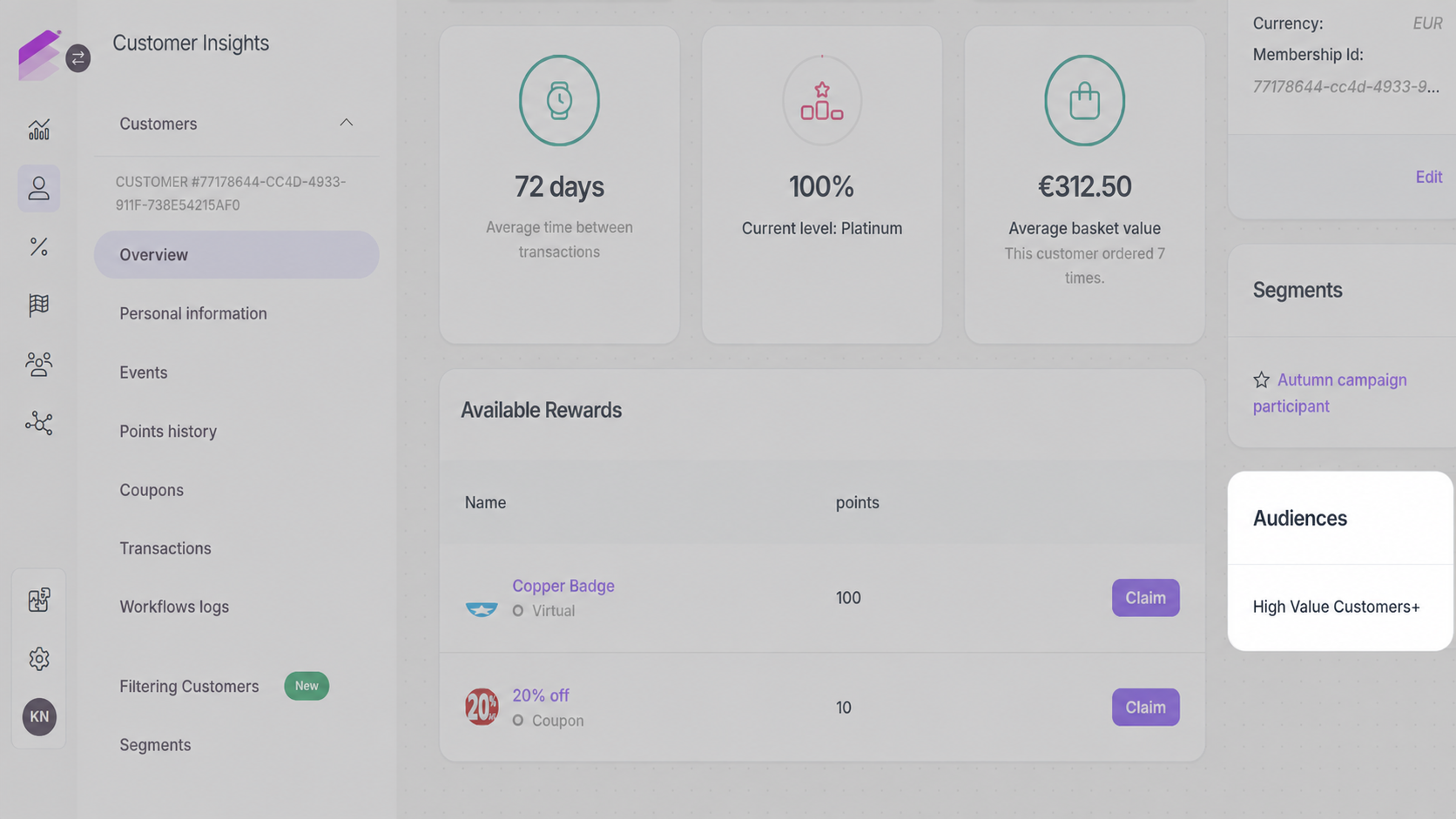
You can review the audiences a customer belongs to on their profile under Customer Insights.
Open the customer profile and navigate to the Audiences section to view the customer's current audience memberships.
Use audiences in Workflows
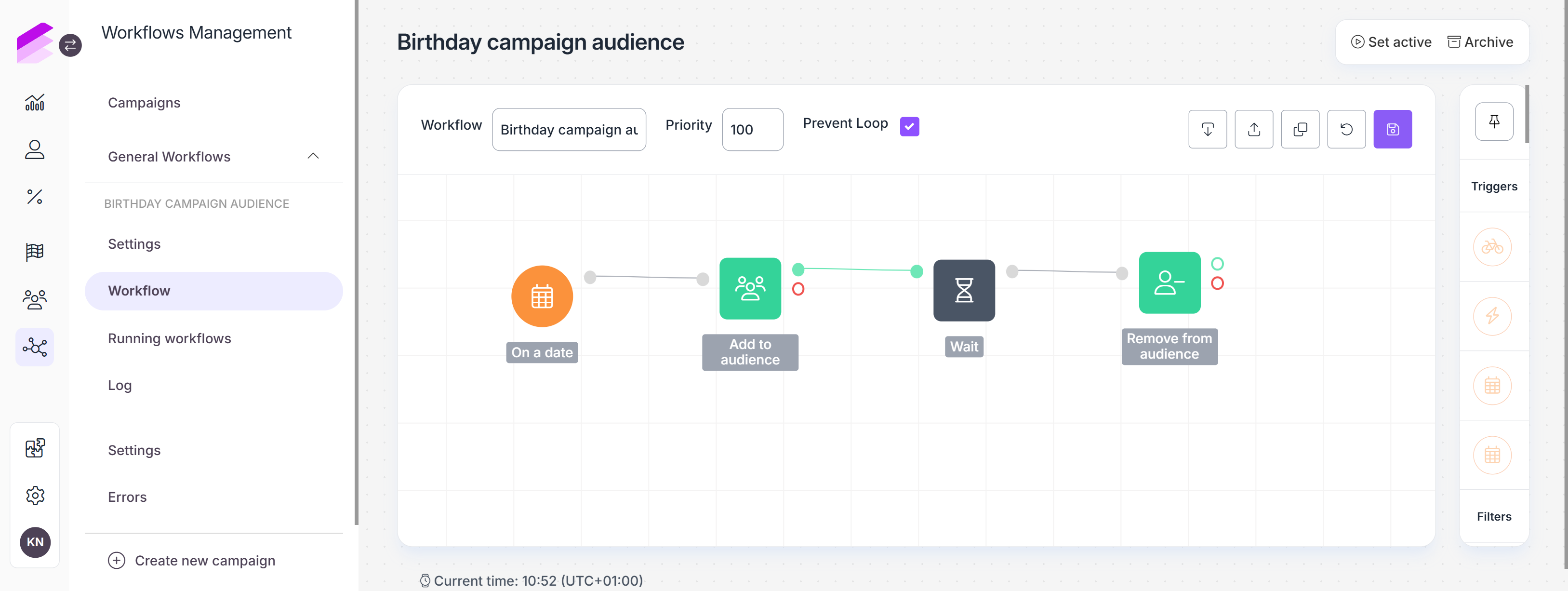
When the Audiences module is enabled, the Add to audience and Remove from audience action nodes are available in Workflows.
These actions let you add customers to or remove customers from audiences created through the Audiences API. The corresponding Add to audience or Remove from audience event is added to the customer's event history when the workflow action is completed.
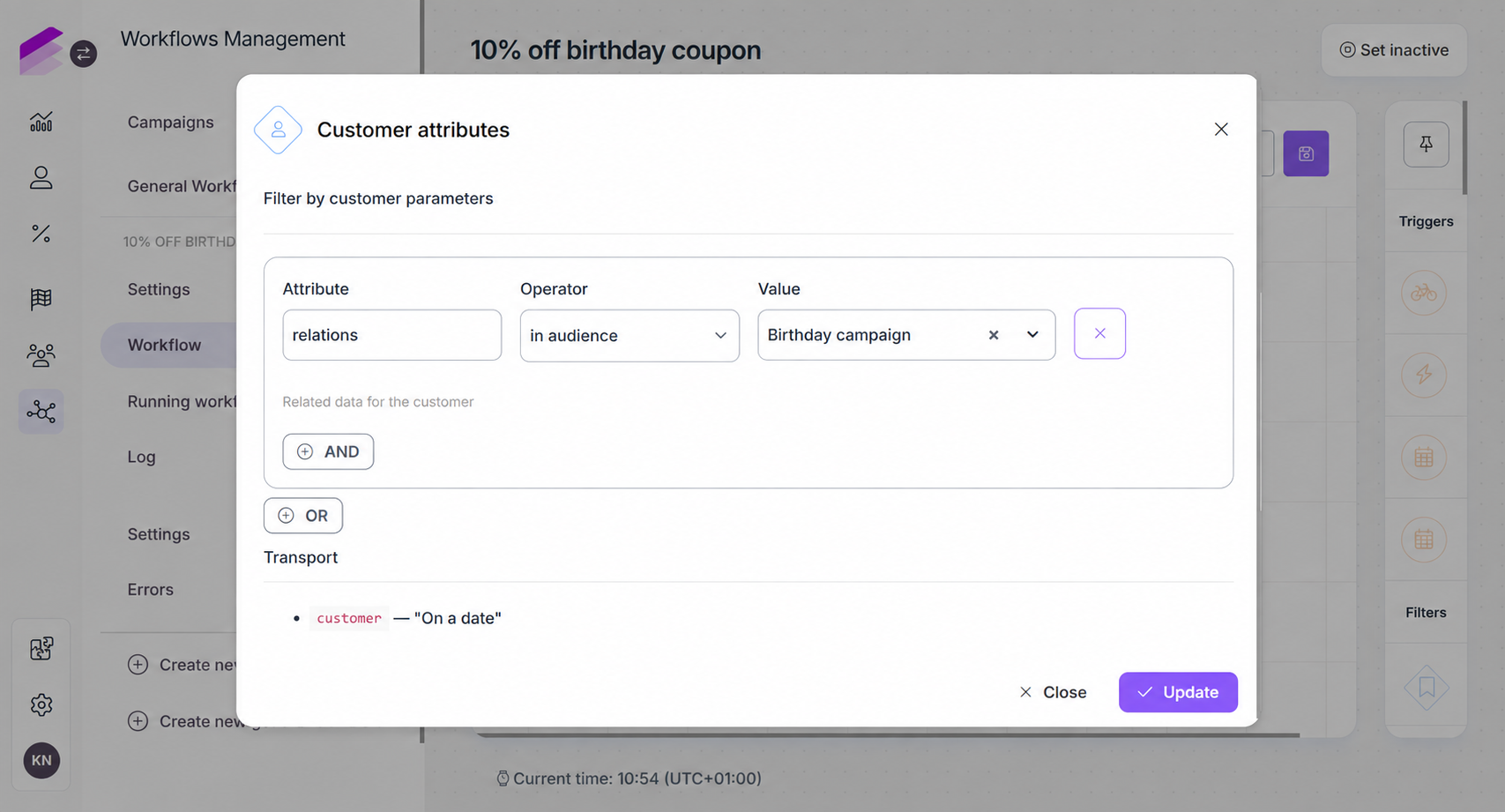
Audience membership can be used in Customer attribute filters. Use the in audience or not in audience relation to filter customers based on whether they belong to a selected audience.
Audience membership events
The Add to audience and Remove from audience workflow actions register the corresponding add_to_audience and remove_from_audience events in the customer's event history. These events can also be used as event triggers in workflows.
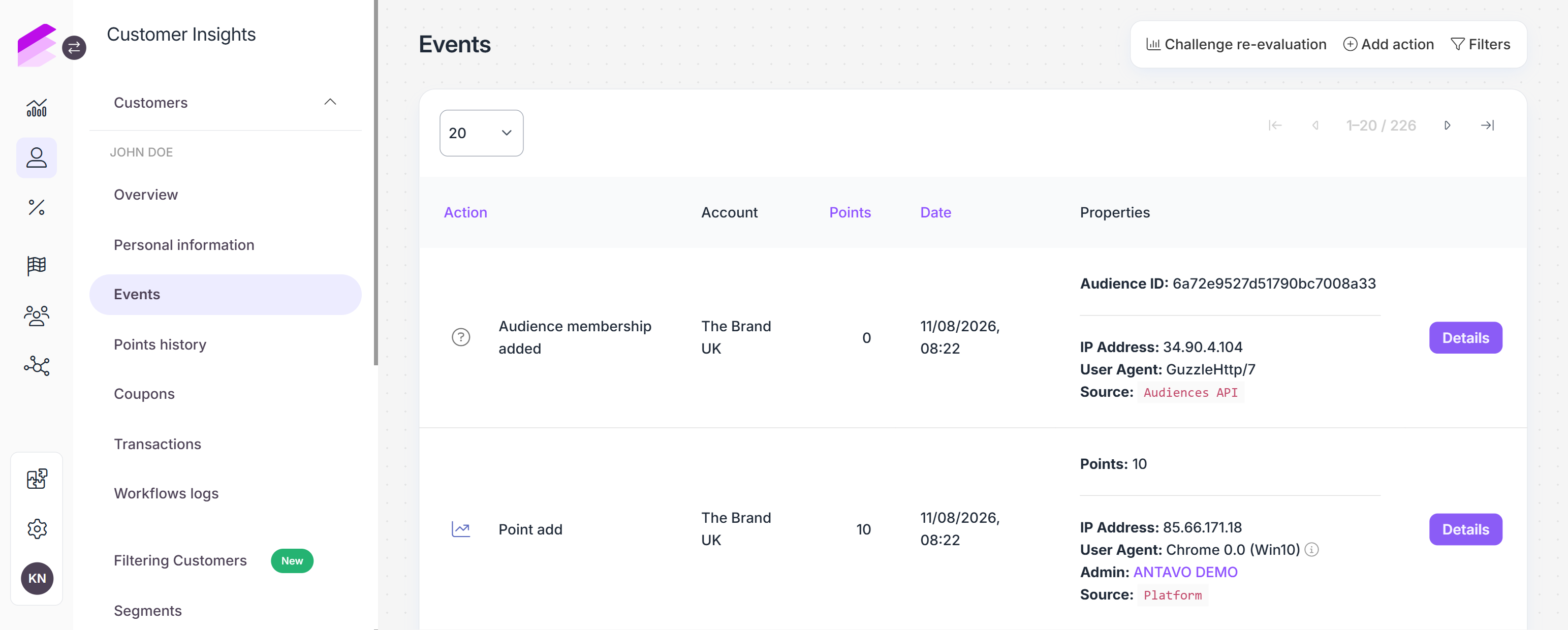
Using the Add customers to audience API endpoint does not register an
add_to_audienceevent in the customer's event history. Similarly, using the Remove customers from audience API endpoint does not register aremove_from_audienceevent.
Use audiences across Antavo
Audiences can be used for customer targeting in the Promotion Engine.
In the Loyalty Engine, audiences can be used in customer filters and Workflows. Audience support in Rewards and Challenges is currently available in beta.