Emarsys is a marketing automation platform that provides various tools for email marketing, mobile marketing, web personalization, and customer data management. Integrating Emarsys with Antavo enables customer data and events to be synchronized from Antavo to Emarsys, where they can be used for targeted marketing activities.
This integration supports one-way synchronization, meaning data can only be sent from Antavo to Emarsys, and not the other way around.
To access the configuration interface, navigate to the Modules menu and search for Emarsys in the list.
Configuring the Antavo - Emarsys connection
Emarsys integrations use OAuth 2.0 Client authentication, as required by Emarsys.
To establish the connection, provide the following credentials from your Emarsys account:
OAuth2 Client ID
OAuth2 Client Secret
The Token URL is automatically populated with https://auth.emarsys.net/oauth2/token
Click Connect to establish the connection.
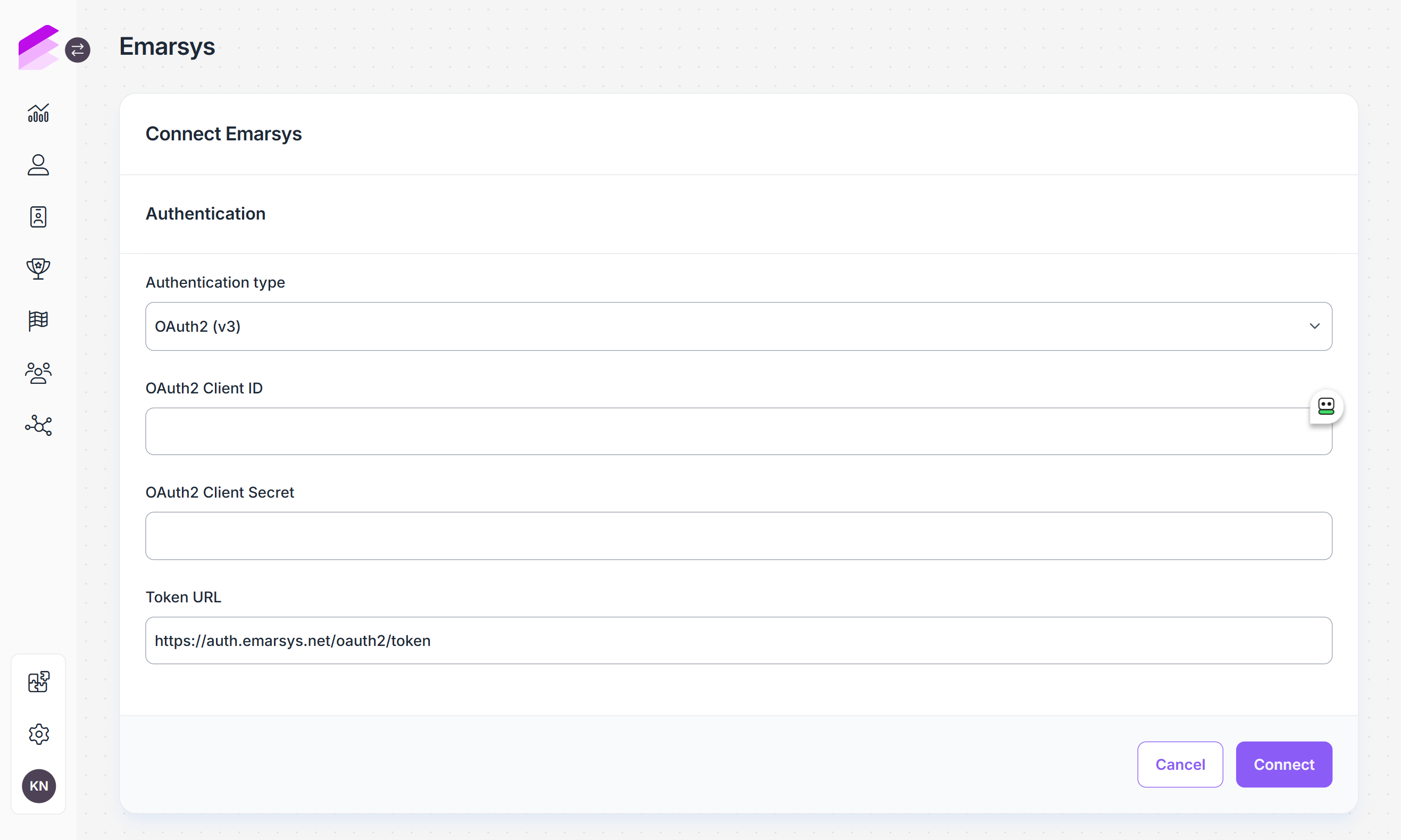
Integrations configured with the legacy WSSE API credential-based authentication continue to work without changes. OAuth 2.0 Client authentication is required when establishing an Emarsys connection and supports all functionality described below.
Customer synchronization
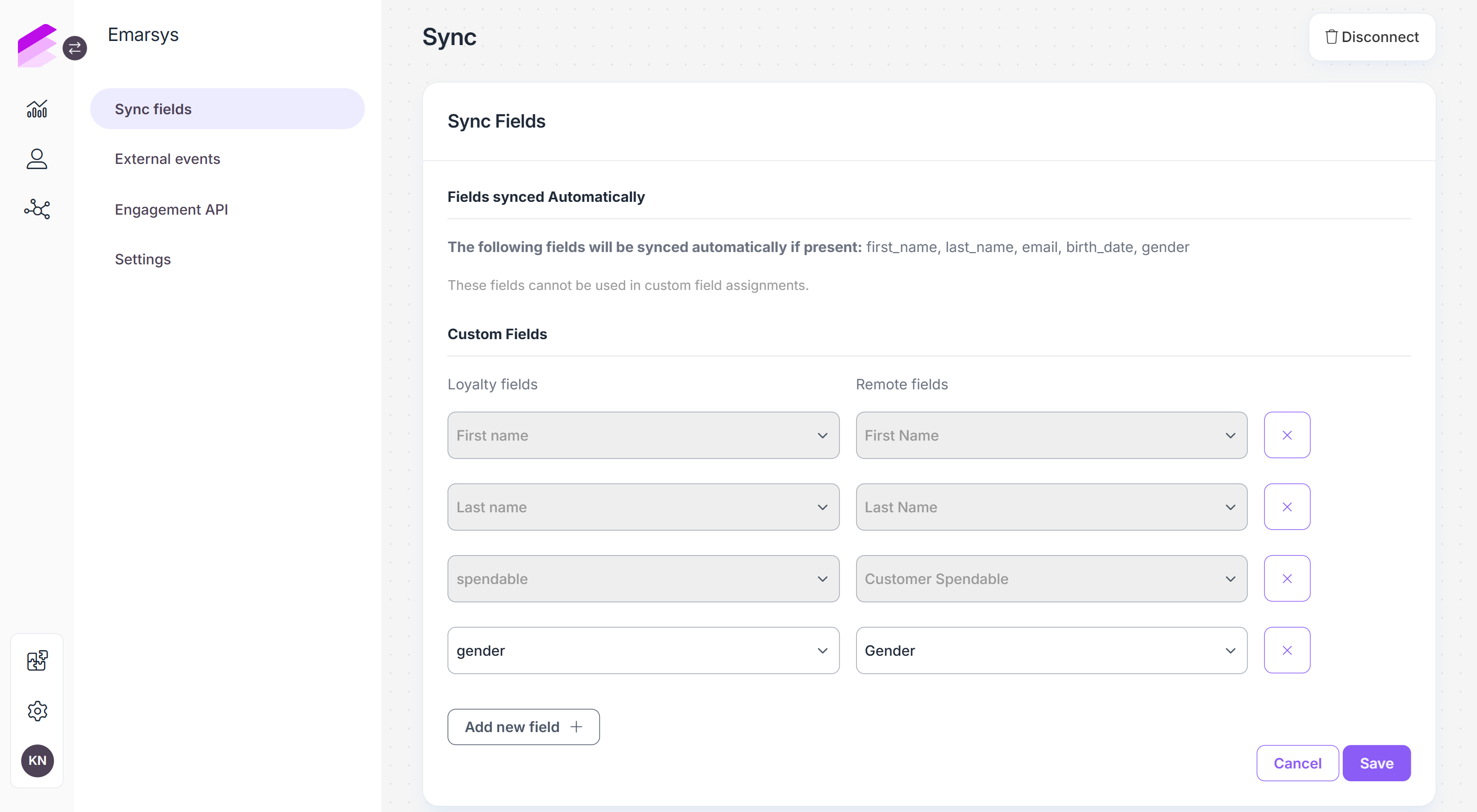
Once the connection is established, open the Sync fields tab to configure which customer data is synchronized from Antavo to Emarsys.
Click Add new field + to create a field mapping between the two systems.
Loyalty fields lists the customer fields available in Antavo
Remote fields lists the corresponding contact fields available in Emarsys
The available remote fields are retrieved from your Emarsys account.Add additional rows to configure more field mappings
Click Save to apply the configuration.
After saving, the mapped customer data is synchronized from Antavo to Emarsys. To remove a field mapping, click the X button next to it.
Segment synchronization
Synchronizing segments from Emarsys enables the use of Emarsys segments in Antavo, populated with loyalty program members.
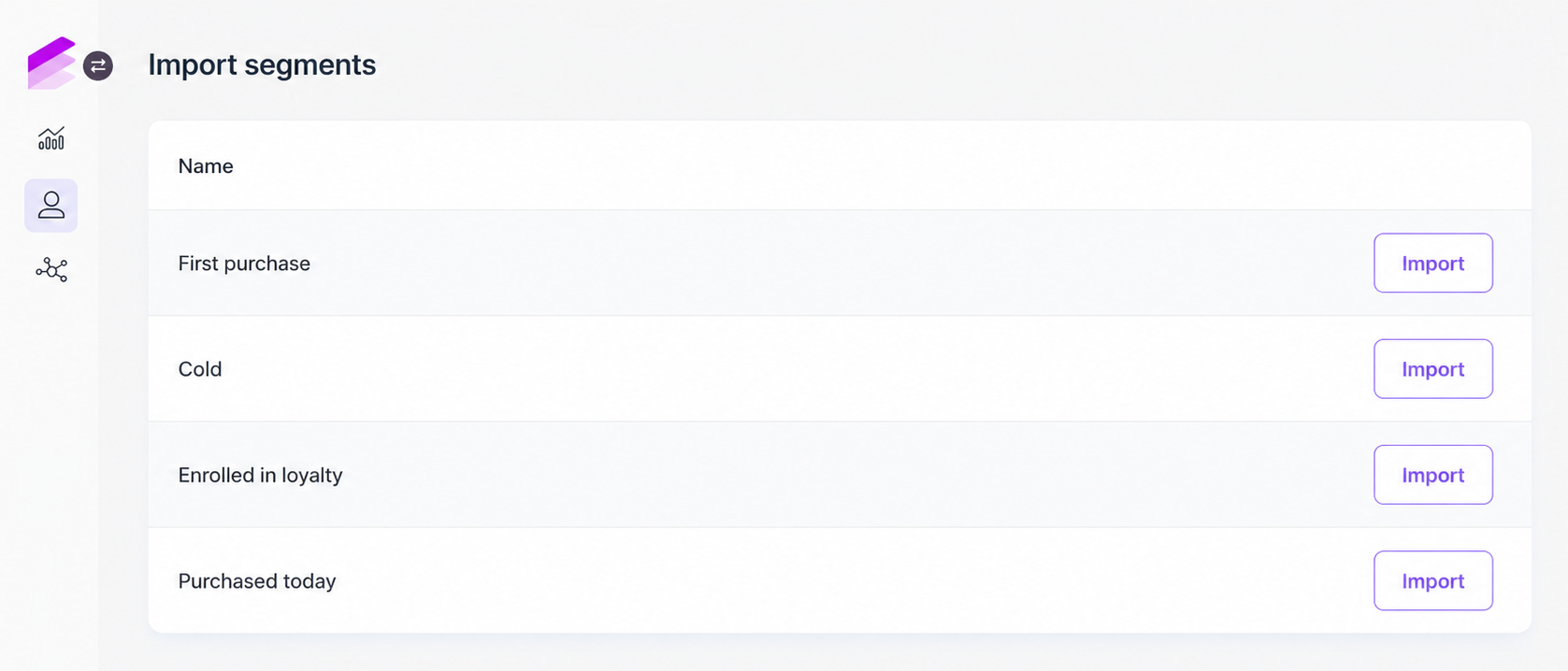
To import a segment, click the Import segments button located in the top-right corner of the Customer Insights page and select a segment you want to synchronize. The process may take some time, the Management UI notifies you when synchronization is complete. Segment sync runs daily to keep imported segments up to date.
Only customers who are already members of your loyalty program can be syncronized to loyalty segments. Non-loyalty customers cannot be included.
Once synchronization is complete, you can find the segment under the Emarsys section of the segment list in Customer Insights and use it as you would any other segment in Antavo.
Configuration of the segment caching service is required for successful segment synchronization. Before initiating segment sync for the first time, contact the Antavo Service Desk to verify that the service is functioning as expected.
External events
The legacy External Events tab provides access to external events configured in your Emarsys account. You can map Antavo customer actions to these events to trigger them in Emarsys.
To remove an event mapping, click the X button next to it.
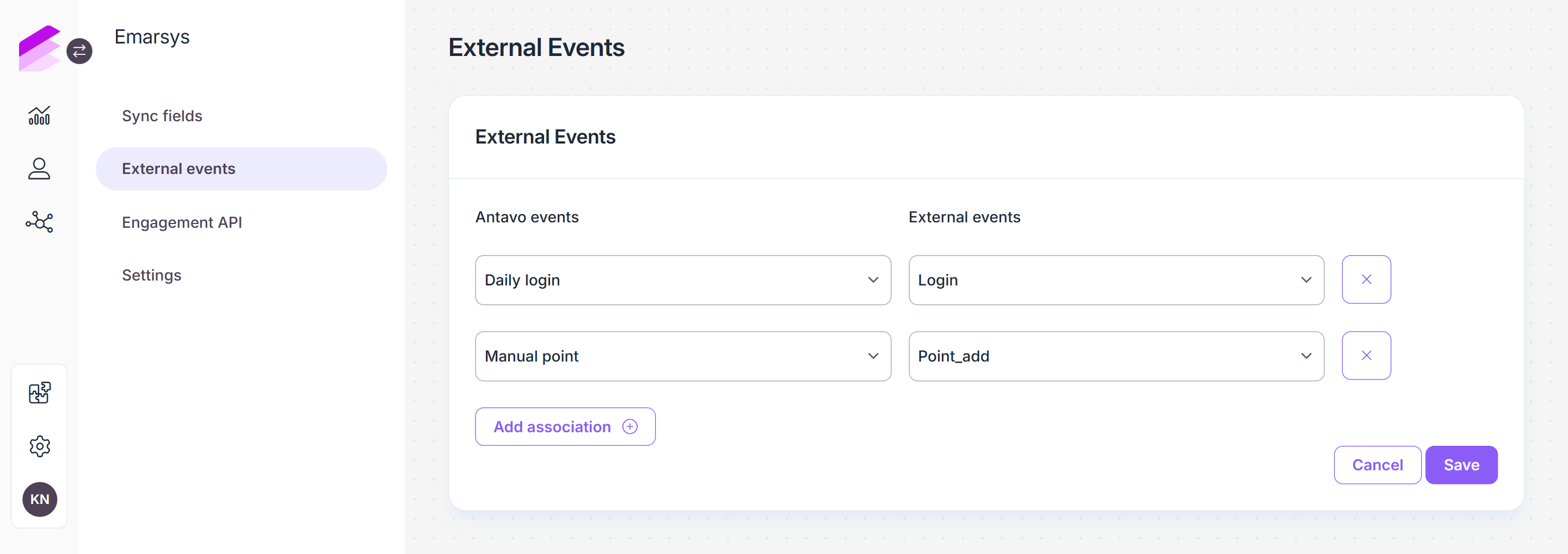
If your integration uses OAuth 2.0 authentication, please use the Engagement API, which uses the up-to-date Emarsys event synchronization mechanism.
Engagement API
The Engagement API tab enables you to synchronize Antavo events with events configured in Emarsys.
Engagement API synchronization is available only for integrations that use OAuth 2.0 Client authentication.
Before configuring event synchronization in Antavo, create an integration in Emarsys and add the events you want to trigger through Antavo.
To configure the integration in Antavo:
Open the Engagement API tab
Click Add integration +
Enter the Integration ID of the integration configured in Emarsys
Click Add event
Select the Antavo event from the dropdown
Enter the corresponding Emarsys event type configured in Emarsys
Repeat the event mapping to add additional events
Click Save
You can configure multiple Emarsys integrations. Click Add integration + to add another integration and configure its event mappings. To remove an integration or an event mapping, click the X button next to it.
.png)
Once configured, the mapped Antavo events are synchronized to the corresponding events in Emarsys.
Triggering Engagement API events using workflows
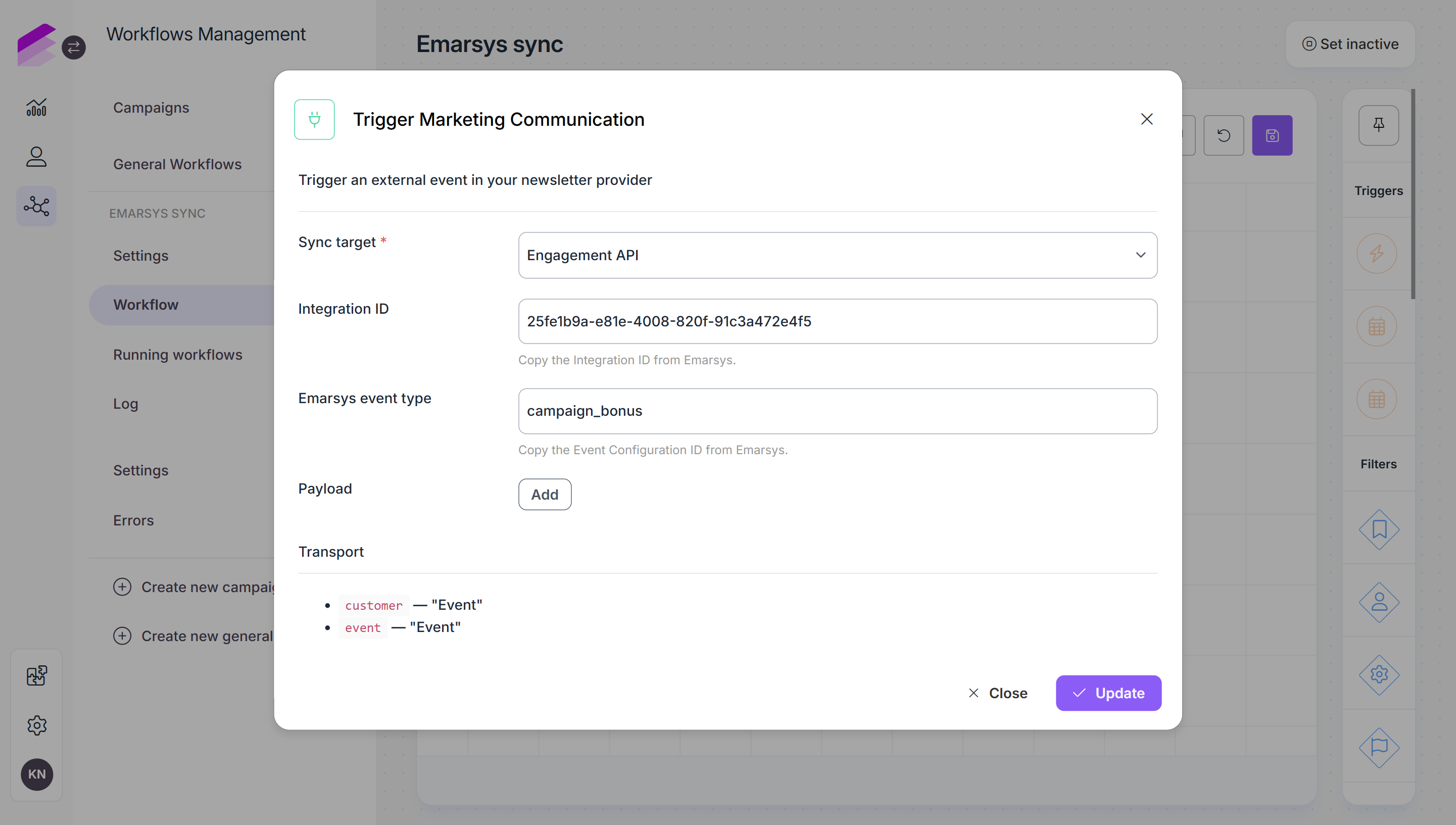
You can also use a workflow to trigger an event in Emarsys through the Engagement API.
When configuring the Trigger Marketing Configuration action in a workflow, select the Engagement API option and the event you want to trigger.
Disconnecting Emarsys from Antavo
If you decide to disconnect Emarsys from Antavo, navigate to the module configuration page, click Disconnect in the upper right-hand corner, and confirm your action. This will immediately discontinue the integration between Emarsys and Antavo, causing all configured mechanisms to cease functioning.
Please note that this action is irreversible. If you wish to resume using the integration in the future, you will need to reconnect the platforms and configure all mechanisms from scratch.