When Product Hub is first opened, the Dashboard provides an overview of the catalog and recent activity. Before products are created or imported, prepare the catalog structure and the contexts in which product information will be maintained.
Core concepts
Product Hub separates the definition of the catalog from the product records that use it.
Attribute: A field that stores one piece of product information (brand, color, release date, etc.)
Attribute group: Arranges related attributes into a section on the product form (General information, pricing, media)
Attribute family: The schema assigned to a product, containing the attribute groups and attributes available for that product (Apparel, gift card, electronics)
Category: A hierarchical grouping used to organize products (Clothing > Shoes)
Category field: A field used to store information about categories (Display name, description)
Product: A catalog record identified by its SKU and described by the attributes of its family (
SHOE-001)Channel: Defines a context in which product information is used (Webshop, retail catalog)
Locale: Defines a language and region for localized values (English (United States))
Currency: Defines a monetary unit available to channels (USD, EUR)
Store: Represents a physical or operational location (London Oxford Street)
Store group: Combines stores that should be referenced together (UK stores, airport locations)
The relationship between attributes, groups, and families is particularly important.
Attributes define the fields that store values on the product.
Attribute groups determine how those fields are arranged for editors.
An attribute family combines the relevant groups and attributes into the structure assigned to a product.
.svg)
Choosing the right catalog component
Requirement | Use |
Store a value on a product | |
Arrange product fields for editors | |
Define which fields belong to a product type | |
Group products in a hierarchy | |
Store information about a category |
An attribute family and a category are not interchangeable. The family determines the product fields, the category determines where the product is grouped in the catalog.
Recommended setup order
For a new workspace:
Review the available locales and currencies, and enable or create the required records.
Create the product attributes.
Arrange related attributes into attribute groups.
Create attribute families and assign the applicable groups and attributes.
Create the required category fields and category hierarchy.ű
Create the channels and assign the applicable root category, locales, and currencies.
Create products manually or load them through an import.
Create store groups and stores when location-based logic is required.
Configure recurring data transfers or the product webhook where needed.
Locales and currencies can be prepared before the catalog structure. Channels must be completed after the applicable category hierarchy is available because each channel requires a root category.
Most implementations are expected to provide descriptions, images, and other product content. AI assistance is optional and is not required for standard Product Hub usage.
Test the structure and transfer configuration with a small, representative dataset before loading the complete catalog. Plan attribute codes, product SKUs, and category codes carefully, as they are used as identifiers across Product Hub, data transfers, APIs, and connected configurations and cannot be changed after the records are created.
Navigating the Product Hub
Product Hub is available from the Product Hub item in the Antavo Management UI sidebar. Selecting it opens Product Hub as a separate interface.
After opening Product Hub, the Dashboard provides an overview of catalog size and recent activity.
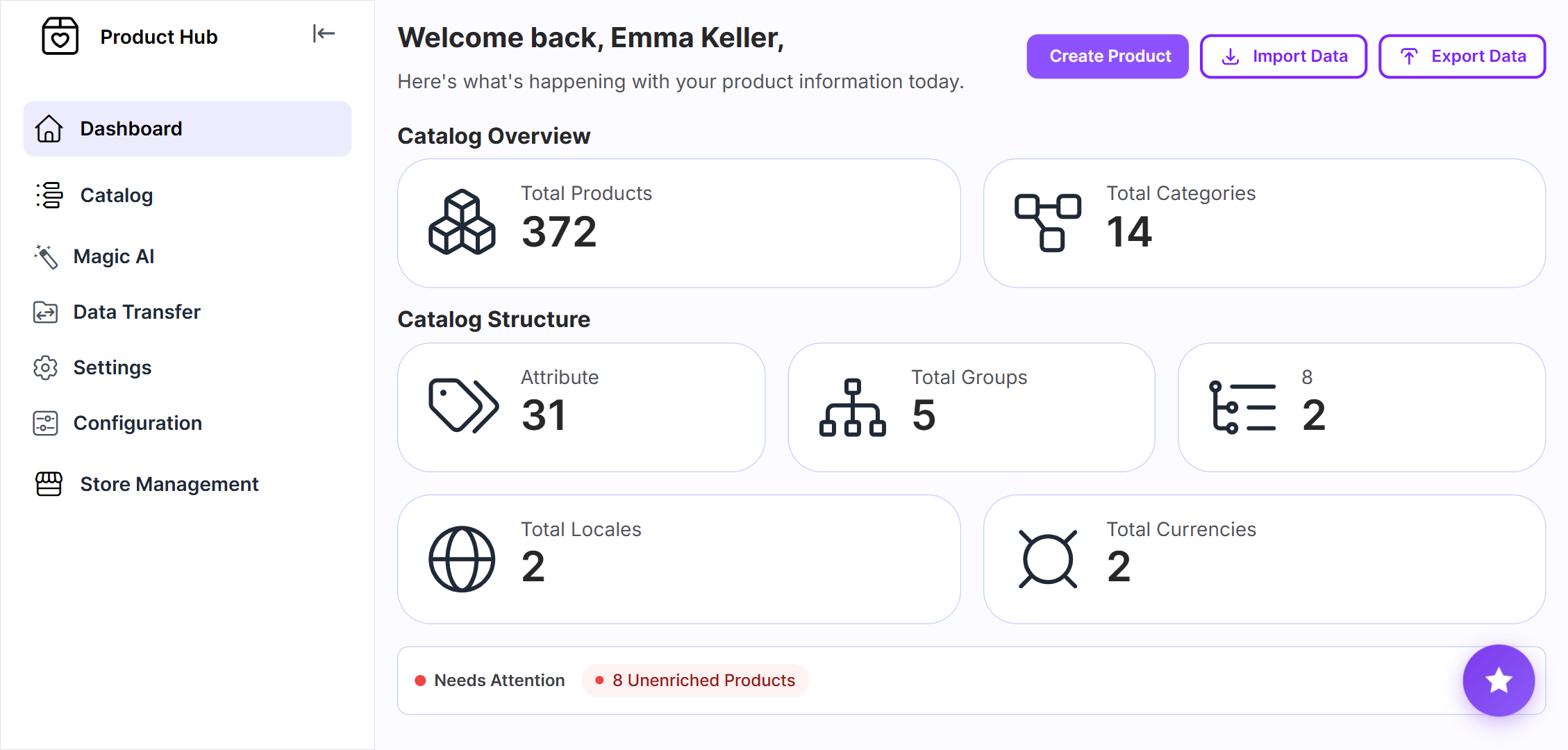
The navigation is organized around the type of task being performed.
Use Catalog to define the catalog structure and manage categories and products.
Data Transfer contains the tools for loading or extracting data in bulk and monitoring these processes.
Use Settings to maintain the locales, currencies, and channels that provide context for product values.
Store records and groups used by supported Antavo features are maintained under Store Management.
Working with Product Hub records
Product Hub uses common patterns across most configuration and record lists:
Use the search field for a quick lookup
Open Filter to combine criteria and narrow the list
Use the row actions to edit or delete an item
Open the History tab on an edit page to review recorded changes
Treat codes, SKUs, and other identifiers as stable values because they can be referenced by imports, exports, APIs, and other configurations
An item may not be deletable while another Product Hub record depends on it. Remove the applicable assignments before trying again.
Where a Status setting is available, disable an item instead of deleting it if it should no longer be offered in new configurations, but its existing references must be retained.
Specific dependency and deletion behavior is highlighted only where it differs from these common patterns.
Using Product Hub data in Antavo platforms
Product Hub makes product and store data available to connected Antavo products.
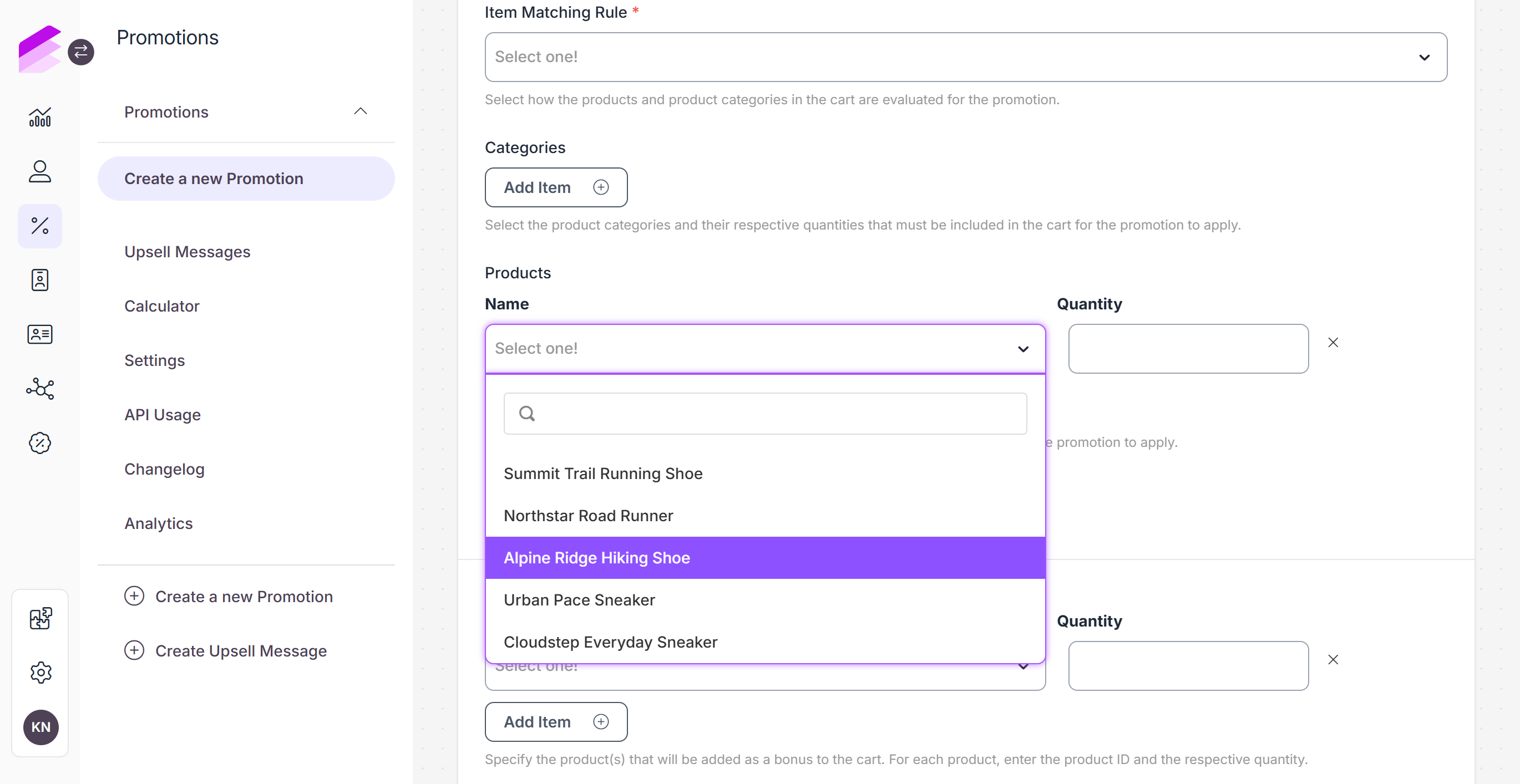
For example, the maintained catalog can be used when selecting products or categories in Promotion Engine conditions and when product-based logic is configured in supported Loyalty Engine modules. Store and store-group data can similarly provide location context for eligible features.
The Product Catalog and Stores modules in the Loyalty Engine remain functional for existing implementations. Contact the Antavo Service Desk before migration to confirm the supported process, data mapping, and effect on existing configurations.