A tier structure defines the levels that customers can hold in a tier program and the requirements associated with those levels. It does not define which customer actions add to the tier score, when score expiration is executed, or when customers are moved between levels. These processes are configured through Tier flows.
Open Tier Manager > Tier structures to review the structures configured in the workspace.
Creating a tier structure
Open Tier Manager > Tier structures
Select Create tier structure
Enter the basic structure settings
Name: Human-readable name displayed in the Management UI and in customer-facing interfaces where applicable.
Use Translate to add localized values when the Multi-language module is enabled.Unique ID: Stable machine-readable identifier of the structure.
The ID cannot be changed after the structure is created.Allow tier score to go below zero: When enabled, refunds, penalties, or manual adjustments can reduce a customer's tier score below zero.
When disabled, the effective tier score is limited to zero.Enable expiry policy: Enables the structure to maintain expirable tier score entries and a customer-level expiration evaluation date. When enabled, an expiration date must be provided whenever a tier score entry is created. Entries are not expired by this setting alone, expiration must be executed by Tier flow logic.
This setting cannot be enabled or disabled later.Account: Select the account associated with the tier structure. Tier Manager supports structures assigned to different accounts in a multi-account workspace.
.png)
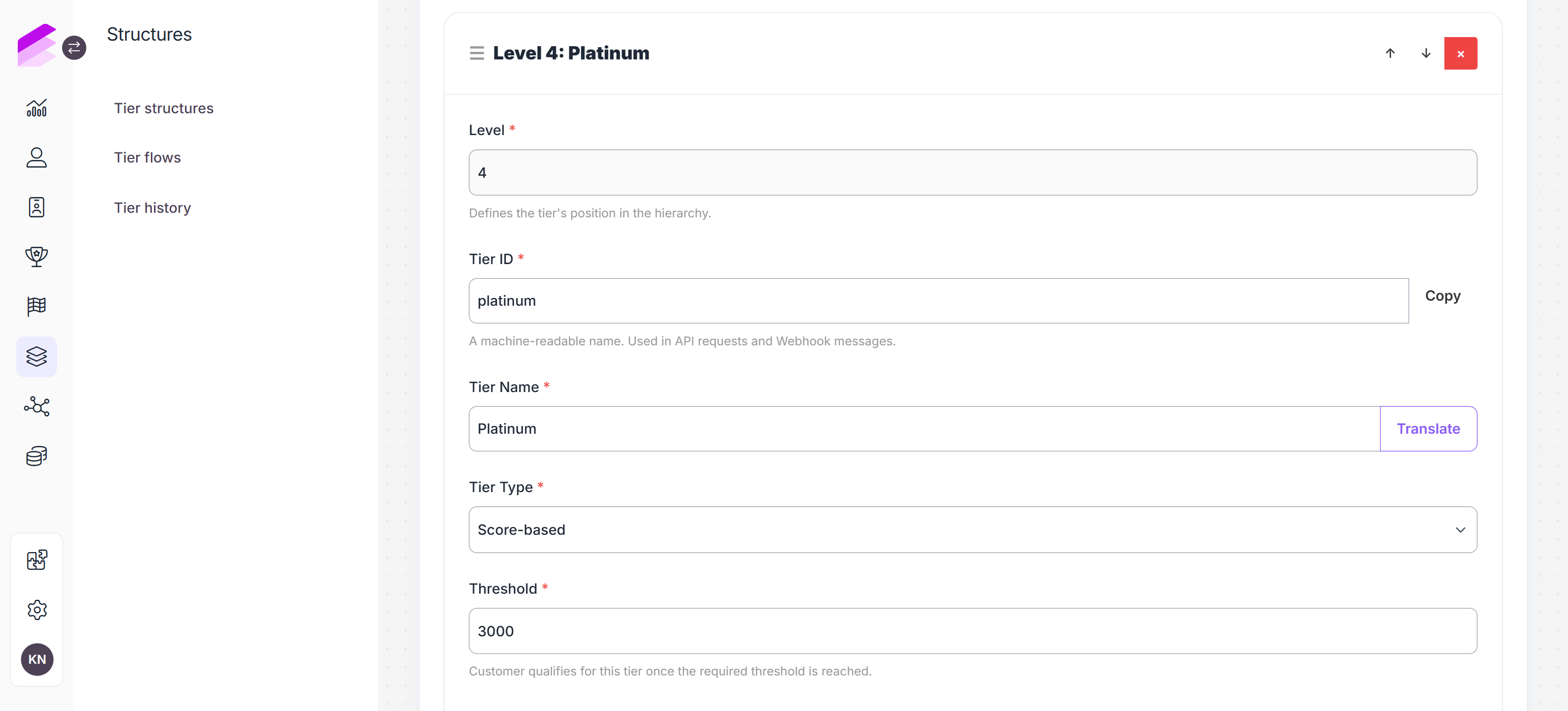
Configure at least one tier level. Levels must be ordered from lowest to highest.
Level: Position of the tier in the hierarchy. Each value must be unique.
Tier ID: Stable machine-readable identifier of the tier level. The ID cannot be changed after activation.
Tier name: Human-readable level name. Use Translate to add localized values when available.
Tier type: Determines how a customer can qualify for the level.
Score-based: The customer can qualify when their tier score reaches the configured threshold.
Invitation-only: The level has no tier score requirement and must be assigned explicitly. Customers cannot qualify for it by earning tier score.
Threshold: Minimum tier score required for a score-based level. Thresholds must increase across the score-based levels in the hierarchy.
Select Add tier to add further levels
Score-based and invitation-only levels can be used within the same structure.Select Save.
The structure is created with an inactive status.
Activating a tier structure
Open the saved structure and select Set active. Confirm the operation in the dialog.
After activation, the following identifiers and structure-level settings cannot be changed:
Structure Unique ID
Structure name
Negative tier score setting
Expiry policy setting
Account
Existing Tier IDs
Existing tier types
Tier names and score thresholds can be updated. Additional tier levels can be added, and the level order can be adjusted before saving.
Changes to thresholds do not recalculate customer levels by themselves. Customer levels are changed when the applicable Tier flow executes its recalculation logic.
Only active tier structures can be selected when a Tier flow is created.
Reviewing connected Tier flows
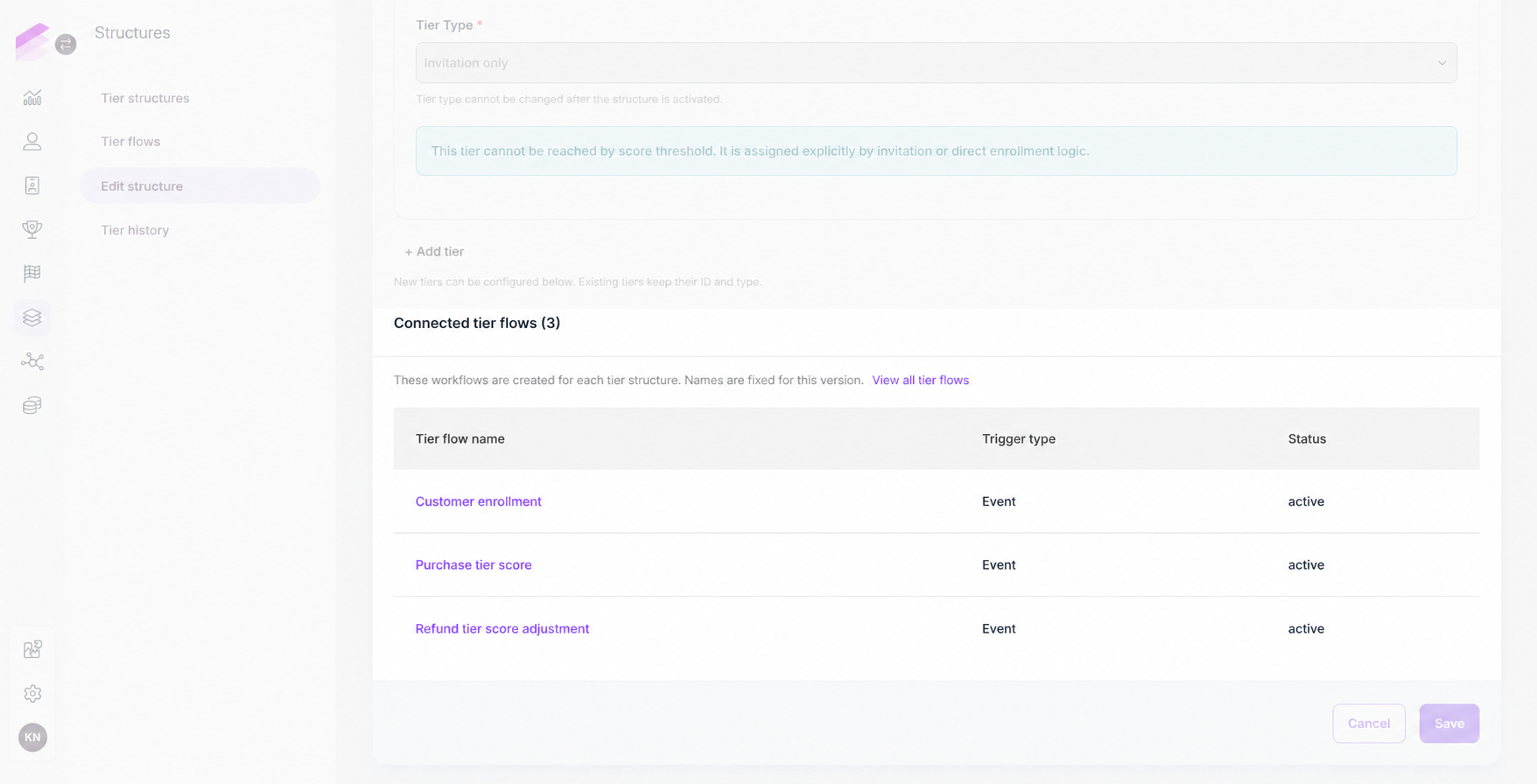
The Connected Tier flows section of a structure lists the active Tier flows bound to it. Each row displays the Tier flow name, trigger type, and status. Select a flow name to open its editor, or select View all Tier flows to open the filtered Tier flows list.
Deactivating a tier structure
Open the active structure and click Set inactive in the upper-right corner.
Deactivating a tier structure stops all connected Tier flows. They cannot run or be activated while the structure remains inactive.
Reactivating the structure does not reactivate these flows automatically, each flow must be activated separately.