The Async Events module is required to use the Async Events API endpoints. It provides the operational and management layer for asynchronous event processing.
Through the Management UI interface of this module, you can access and manage Dead-Letter Queues (DLQs) for failed events and callbacks, and configure retry settings that control how failed messages are reprocessed.
Settings
Under the Settings tab, you can configure retry behavior for dead-letter queues.
These settings apply to both the Events DLQ and the Callbacks DLQ.
Batch size
Control how many events or callbacks are moved back to the main queue at once. Larger batch sizes retry faster but may increase load.Cooldown
Define the waiting time (in minutes) between retry job executions. This helps throttle retry traffic and prevents repeated overload of downstream systems.
.png)
Dead-Letter Queues (DLQs)
Dead-Letter Queues store asynchronous events and callbacks that could not be processed or delivered successfully after 5 attempts.
DLQs are useful when:
Temporary system issues cause event or callback failures
External systems are unavailable during processing or delivery
Failed asynchronous operations need to be reviewed or audited
Controlled, throttled retries are preferred over manual resubmission
Events Dead-Letter queue
The Events DLQ contains asynchronous events that were successfully accepted and queued by the v1/async/events endpoint, but failed during processing.
For each failed event, the list shows the following information:
Created at: the date when the event entered the DLQ
Correlation ID: the ID used to identify the event across systems
Payload: the original event data submitted to the Async Events API
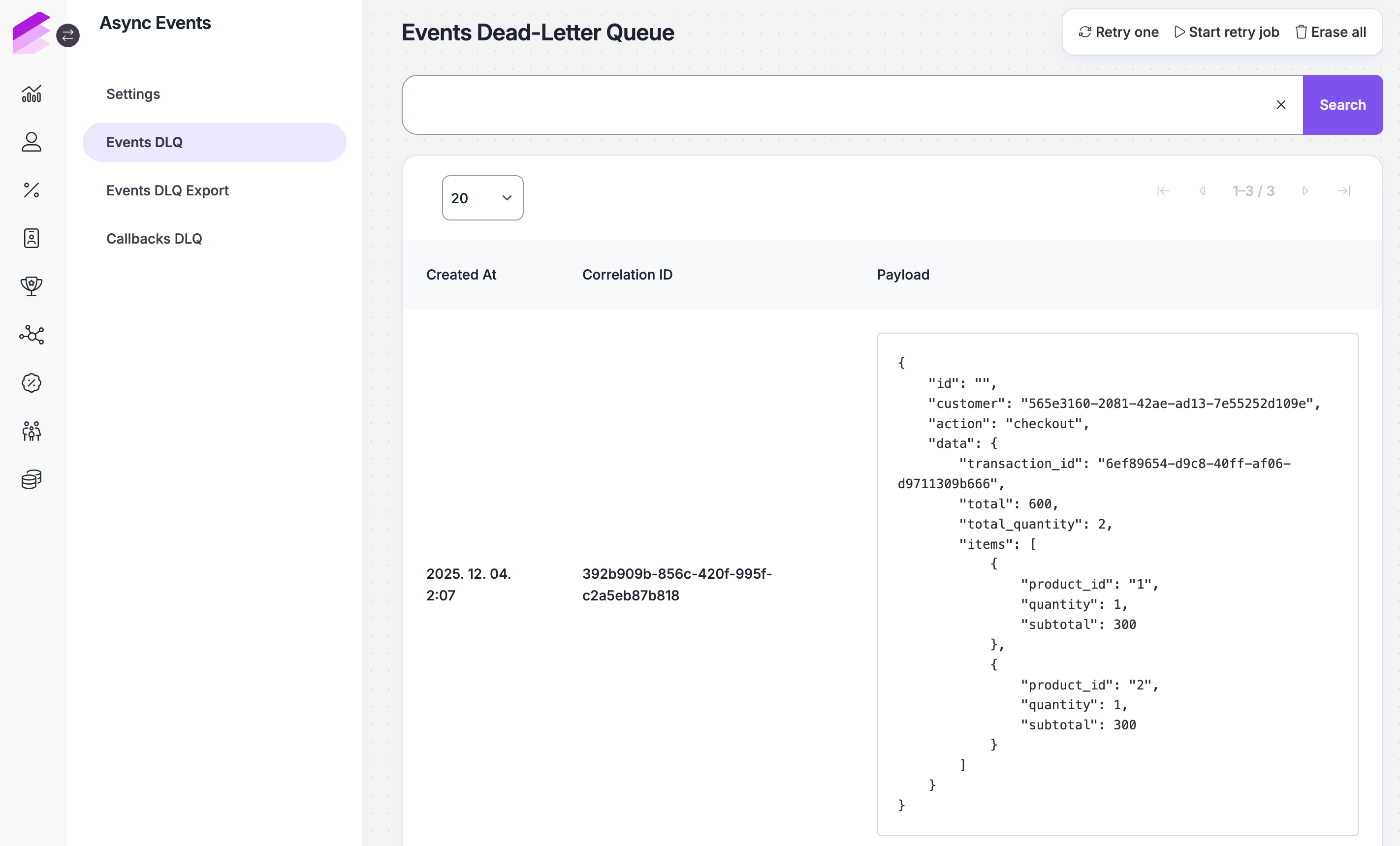
Available actions
On the Events DLQ page, you can use the actions available in the top-right corner:
Retry one
Move the oldest event back to the main queue for reprocessing.Start retry job
Retry all events in the DLQ based on the configured retry settings.Stop retry job
If a retry job is in progress, it can be stopped before it finishes.Erase all
Permanently delete all events from the DLQ.ExportD
Download DLQ entries for offline analysis or auditing. Exported files are available under the Events DLQ Exports tab.
Events DLQ export
This section lists previously generated exports from the Events DLQ. Exports can be used for offline analysis, auditing, and sharing failed event data with external teams or systems.
Click the Download button to download the export file. The file is in JSON format and includes all attributes from the event request.
.png)
Callback Dead-letter queue
The Callbacks DLQ contains callback requests that were generated after successful event processing, but could not be delivered to the configured callback_url, due to timeouts or network errors.
Each DLQ entry in the list shows the following information:
Timestamp: the time when the callback failed
Correlation ID: the ID of the original async event
Payload: the callback request details, including URL, HTTP method, and payload
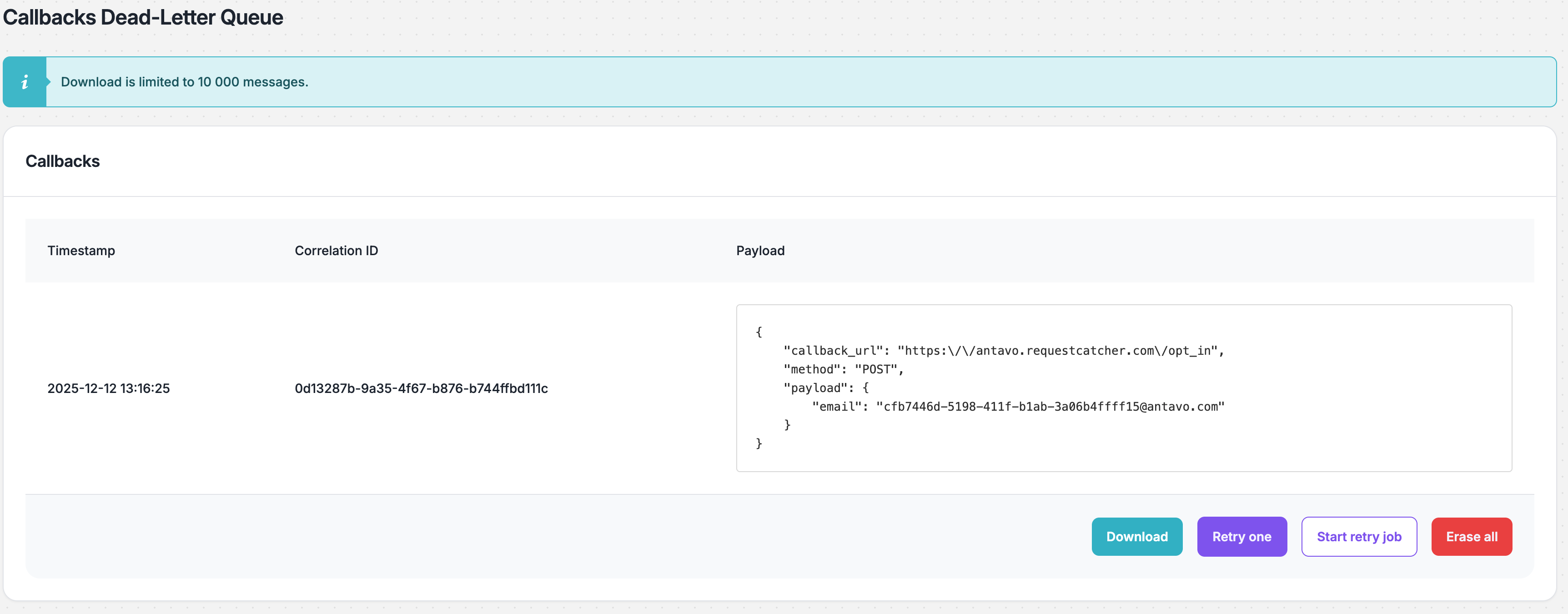
Available actions
The following management actions are available at the bottom of the list:
Retry one
Move the oldest request back to the main queue for reprocessing.Download
Download DLQ entries for offline analysis or auditing in JSON format. It includes all details of the callback request.Start retry job
Retry all requests in the DLQ based on the configured retry settings.Stop retry job
If a retry job is in progress, it can be stopped before it finishes.Erase all
Permanently delete all requests from the DLQ.